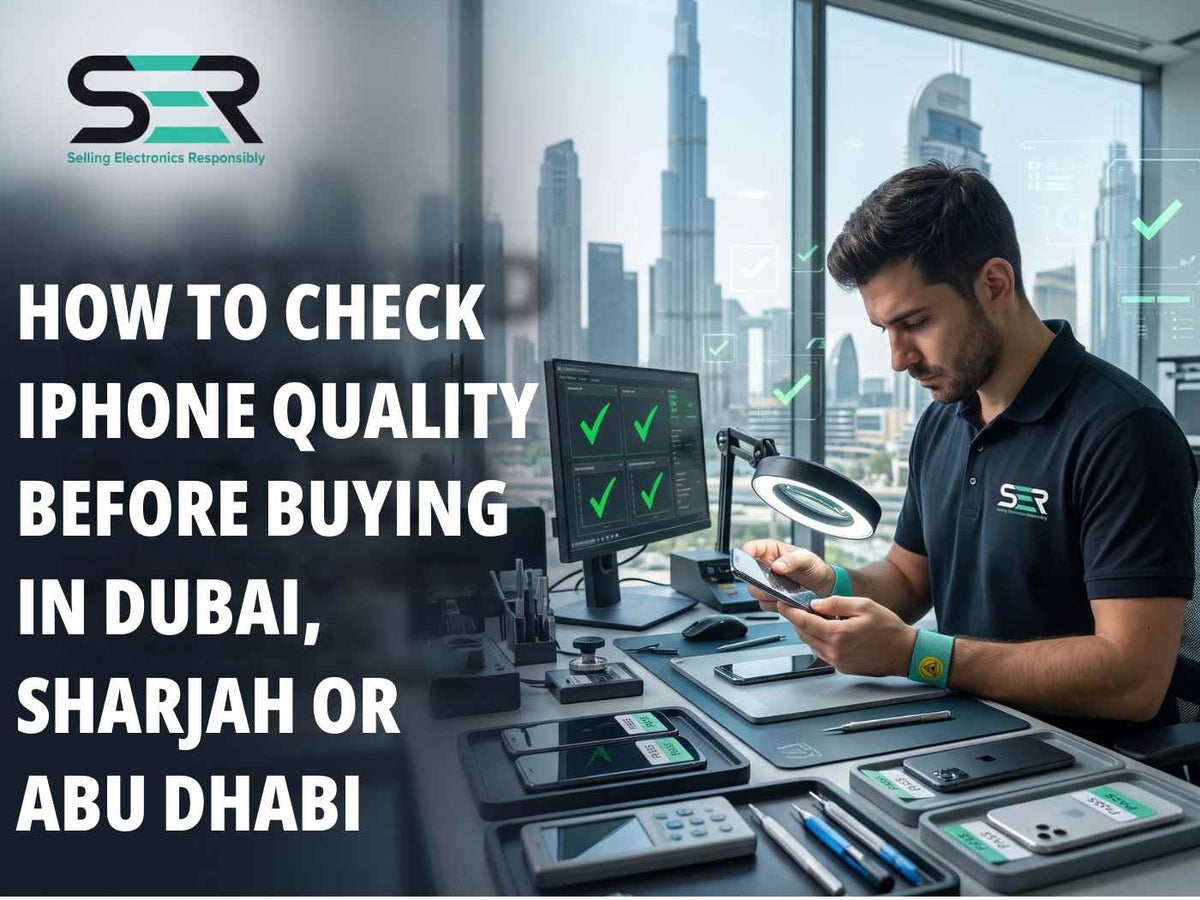
A certified iPhone in Dubai should feel like a safe bet. After all, someone has already tested it, graded it, and promised it works. So why would you check it yourself? Because the smartest buyers trust and verify. Even with a certified iPhone in Dubai, a few minutes of hands-on testing protects your money and gives you proof.
At SER Mobile Phones LLC, we've spent a decade refurbishing and testing iPhones, so we know exactly what to look for. In this post, we'll walk through how to inspect an iPhone before purchase, whether you're in Dubai, Sharjah, or Abu Dhabi. We'll cover authenticity, the IMEI, battery health, parts, and every feature that matters. None of it needs technical skill. It just needs a plan, a calm seller, and about ten minutes. By the end, you'll know exactly how to size up a certified iPhone in Dubai.
Why a Certified iPhone in Dubai Still Deserves Your Own Check
Certified means different things at different shops. At some, it's a rigorous process. At others, it's a sticker. That's why an iPhone pre-purchase inspection Dubai buyers run themselves is so valuable. It takes the seller's word out of the equation. A good seller welcomes it. A nervous one starts making excuses.
Price doesn't change this. A low price iPhone Dubai shoppers find online can be perfectly fine. So can a premium one. The affordable iPhone price Dubai sellers advertise tells you nothing about condition. Only testing does. A certified refurbished iPhone in Dubai at any price should pass the same checks. That's why SER Mobile Phones LLC ships every phone with its own test report, so you can compare it with what you see.
How to Identify a Genuine iPhone Dubai Buyers Can Trust?
Start with authenticity. Open Settings, then General, then About. Here you'll see the model name, serial number, and IMEI. It's the quickest way to check iPhone authenticity Dubai sellers can't fake with a shiny case. Everything on that screen should match the box and the seller's listing. On models with a SIM tray, it should match the tray too.
Next, verify iPhone model before buying. The About screen shows a model number. Tap it to switch between the part number and the regulatory model. The first letter of the part number tells a story. M means new, F means refurbished, N means replacement, and P means personalized. A phone sold as brand new but starting with F deserves questions. If you want to learn how to identify a genuine iPhone Dubai sellers stock, this single letter is a great start.
A certified iPhone in Dubai from a trustworthy seller will match on every point. If something doesn't line up, walk away.

iPhone IMEI Check Dubai Buyers Should Never Skip
The IMEI is your phone's fingerprint. Dial *#06# on the keypad to see it. Compare it with the number in Settings and on the box. An iPhone IMEI check Dubai shoppers do in front of the seller takes thirty seconds. It confirms the phone hasn't been swapped. It also opens the door to the next step.
That next step is coverage. Enter the serial number on Apple's own coverage check page to see warranty status and purchase details. This iPhone warranty check Dubai buyers can do on their own shows whether Apple's limited warranty is still active. It also confirms the model matches the listing. A refurbished phone usually carries the seller's warranty instead, so ask for it in writing.
Finally, make sure Find My iPhone is off and the previous owner's Apple ID has been removed. An Activation Lock turns a phone into an expensive paperweight. Any certified iPhone in Dubai should arrive fully signed out and ready for your own account.
iPhone Battery Health Check UAE Shoppers Can Do in Seconds
Battery health shows how much life a phone has left. Go to Settings, then Battery, then Battery Health & Charging. The Maximum Capacity figure shows how the battery has aged compared with new. An iPhone battery health check UAE buyers do on the spot is one of the most telling tests of all.
Aim for a high number. At SER Mobile Phones LLC, our batteries must test above 90% health before a phone reaches a shelf. On newer models, you may also see a cycle count. A low count on an older phone is a good sign. Whatever you find, check battery health before buying iPhone models of any age, because replacement batteries cost real money. Ask the seller to show the number. A certified iPhone in Dubai should state it clearly.
How to Check iPhone Parts and Repairs?
Phones get repaired, and that's fine. Problems start when repairs are hidden. Recent versions of iOS list replaced parts under Settings, General, About, in a section called Parts and Service History. It's the simplest way to learn how to check iPhone parts and repairs without opening the phone.
Look for notes about the battery, display, or camera. A genuine Apple part shows up as such. An unknown part is a signal to ask questions. Run an iPhone parts check before Dubai sellers close the deal, not afterwards. Replaced parts aren't always bad, but they should always be disclosed. A certified iPhone in Dubai comes with that honesty built in.
Hands-On Tests: Display, Camera, Face ID and Charging
Start with the screen. An iPhone display test before buying takes two minutes. Open Notes and draw across the whole display to check touch response. Then view solid white, black, and colored images to spot dead pixels, yellow tints, or burn-in. Check brightness too, and look closely at the edges for lifting.
Next, run an iPhone camera test before purchase. Open every lens, zoom in and out, and tap to focus. Take a photo of something near and something far. Record a short video and play it back with sound. Test the flash and the selfie camera as well. Dust inside a lens or a blurry corner is easy to spot at the counter. A certified iPhone in Dubai should pass this test easily.
Then do an iPhone Face ID check Dubai sellers should let you complete. Set up Face ID in Settings and unlock the phone a few times from different angles. Older models use Touch ID, so test the fingerprint sensor the same way. If either fails, don't accept the explanation that it just needs a restart.
Finally, try an iPhone charging test before buying. Plug in a cable and watch for a quick, steady charge. Wiggle the cable gently to see if the connection holds. Try wireless charging if the phone supports it. A certified iPhone in Dubai should charge without fuss, and its port should look clean.
An iPhone Software and Hardware Test Dubai Sellers Should Welcome
A thorough refurbished smartphones software and hardware test Dubai buyers run covers more than the big four. Make a quick call to check the earpiece and microphone. Play music to test the speakers. Press every button and flip the silent switch. Connect to Wi-Fi and Bluetooth. Check that the SIM or eSIM picks up a signal. This iPhone hardware checks before buying catches issues that look fine at first glance.
Check the software, too. Make sure iOS is current and the phone updates properly. Open a few apps and watch for lag. Look at the SIM tray slot for water damage indicators. A certified iPhone in Dubai shouldn't show any sign of trouble here.

Checking a Used, Refurbished or Renewed iPhone
The word used makes some buyers nervous. It shouldn't, if you know how to check a second-hand iPhone Dubai sellers stock. The tests above work for every phone. To verify used iPhone condition before buying, combine them with the grade the seller gives. A fair iPhone quality assessment before purchase weighs function over looks. The same logic applies to any certified iPhone in Dubai.
Refurbished and renewed phones add one more question. What was done to them? To check refurbished iPhone condition Dubai shops claim, ask for the test report and the repair list. Then use the same tests to inspect renewed iPhone before purchase, and compare your results with that report. They should agree.
So what does a good phone look like? These are the signs of a good-quality used iPhone: honest grading, a clean parts history, strong battery health, and a seller who answers questions without fuss. Scratches matter less than function. Hidden faults matter far more.
At SER Mobile Phones LLC, our in-house lab runs a 40+ point diagnostic on every refurbished phone. Each one is graded, signed off by a named technician, and shipped with its test report. That gives you something concrete to compare against your own checks on a certified iPhone in Dubai.
An iPhone Inspection Checklist Dubai Buyers Can Screenshot
Here's a quick iPhone inspection checklist Dubai shopper can save to their phones. It doubles as an iPhone testing checklist UAE buyers can use anywhere. Not sure what to check before buying an iPhone Dubai sellers offer? Start here. These are the quickest ways to check iPhone condition in Dubai, and together they form a complete iPhone condition verification UAE buyer can trust.
|
Test |
How to do it |
Red flag |
|
Model and serial |
Settings, General, About |
Details don't match the box or listing |
|
IMEI |
Dial *#06# |
Doesn't match Settings or the box |
|
Battery health |
Settings, Battery, Battery Health |
Low capacity, or no figure shown |
|
Parts history |
About, Parts and Service History |
Unknown or undisclosed parts |
|
Display |
Solid colors; draw in Notes |
Dead pixels, tints, dead touch zones |
|
Camera |
Every lens; video with sound |
Blur, dust, no autofocus |
|
Face ID or Touch ID |
Set up and unlock repeatedly |
Failures, or restart excuses |
|
Charging |
Cable and wireless |
Slow, loose, or dirty port |
|
Activation Lock |
Find My off, Apple ID removed |
Any lock-screen prompt |
Where Price Fits In
Price matters, of course. Everyone wants a good deal. Low-cost iPhone deals UAE shoppers hunt for can be genuine bargains. The best affordable iPhone deals Dubai has to offer come with proof, not just a number. If you want to buy affordable iPhone Dubai listings or buy low-cost iPhone UAE offers, the checks above protect you. They matter even more when the phone is a certified iPhone in Dubai sold at a bargain price.
Trade-ins help too. The SER Mobile Phones LLC trade-in program offers fair pricing when you upgrade, so your old phone helps fund the next one. Pair that with a proper inspection, and a certified iPhone in Dubai becomes both safe and smart.
Quality Checks in Sharjah and Abu Dhabi
These checks work in every emirate. Buyers who want iPhone quality verification in Sharjah need the same tests as anyone in Dubai. Many shops also advertise iPhone inspection services Abu Dhabi residents can use. Ask exactly what those services include, and whether they come with a written report. A certified iPhone in Dubai, Sharjah, Abu Dhabi and UAE should meet one standard. You can browse the full SER Mobile Phones LLC collection online from anywhere in the UAE, and compare grades before you commit.
Checking a Certified iPhone in Dubai shouldn't feel awkward. At SER Mobile Phones LLC, we welcome it. We've spent a decade refurbishing phones, and we sell online and at our own retail outlet. Every phone is tested in our in-house lab, graded, and shipped with its test report and a 12-month standard warranty, which you can extend up to 24 months. We also offer a 14-day change warranty. Visit www.sermobile.me, browse the SER Mobile Phones LLC collection, or ask our team anything before you decide.
Frequently Asked Questions
How can I verify an iPhone’s battery health and physical condition?
Open Settings, then Battery, then Battery Health & Charging, and read the Maximum Capacity figure. Then inspect the body for dents, loose edges, and a lifting screen. Check the SIM tray for water damage indicators. Ask for the seller's test report to compare. At SER Mobile Phones LLC, every phone's battery must test above 90% health, and the report proves it. Any certified iPhone in Dubai should pass both checks.
How do I check whether an iPhone is genuine and has original parts?
Compare the model number, serial number, and IMEI in Settings with the box and the listing. Then open Parts and Service History under Settings, General, About to see any replaced parts. An unknown part deserves questions. A certified iPhone in Dubai should come with every repair disclosed. SER Mobile Phones LLC grades every phone and ships it with a signed-off test report.
How do I check Face ID, Touch ID, and other iPhone features before purchase?
Set up Face ID or Touch ID on the spot and unlock the phone several times. Then test the display, every camera lens, the speakers, the microphone, the buttons, and charging. Make a call and connect to Wi-Fi. It takes about ten minutes on any certified iPhone in Dubai.
How can I verify an iPhone’s IMEI, warranty, and model details in the UAE?
Dial *#06# to see the IMEI and match it to Settings and the box. Enter the serial number on Apple's coverage check page to confirm warranty status and model details. For refurbished phones, ask for the seller's warranty in writing. Doing this on a certified iPhone in Dubai takes only a minute. Every refurbished phone from SER Mobile Phones LLC also carries a 12-month standard warranty.


Leave a comment
This site is protected by hCaptcha and the hCaptcha Privacy Policy and Terms of Service apply.